
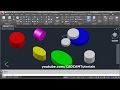
3D Modeling with Cylinder Command

Interactive Video
•
Design
•
9th - 10th Grade
•
Practice Problem
•
Hard

Jennifer Brown
FREE Resource
5 questions
Show all answers
1.
MULTIPLE CHOICE QUESTION
30 sec • 1 pt
What is the first step to switch to the 3D modeling workspace?
Activate the orthographic view
Click on the gear icon and select 3D modeling
Select the 2D modeling option
Click on the cylinder command
2.
MULTIPLE CHOICE QUESTION
30 sec • 1 pt
How can you create a cylinder using its diameter?
By specifying the center point and height
By defining two tangent points
By selecting the diameter option and entering the desired diameter
By using the 3-point method
3.
MULTIPLE CHOICE QUESTION
30 sec • 1 pt
What should you do to create a cylinder tangent to two other cylinders?
Use the 3-point method
Select the T TR option and define tangent points
Use the elliptical cylinder command
Enter the diameter and height
4.
MULTIPLE CHOICE QUESTION
30 sec • 1 pt
How do you specify the dimensions for an elliptical cylinder?
By selecting the diameter option
By using the 3-point method
By specifying endpoints of the first axis and the radius of the other axis
By entering the radius and height
5.
MULTIPLE CHOICE QUESTION
30 sec • 1 pt
What is the method to apply color to a cylinder?
Right-click on the cylinder and choose 'Apply Color'
Use the color command from the menu
Double-click on the cylinder and select the desired color
Select the cylinder and choose a color from the toolbar
Access all questions and much more by creating a free account
Create resources
Host any resource
Get auto-graded reports

Continue with Google

Continue with Email

Continue with Classlink

Continue with Clever
or continue with

Microsoft
%20(1).png)
Apple

Others
Already have an account?


