
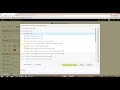
Integrating Launchpad with D2L

Interactive Video
•
Instructional Technology
•
9th - 10th Grade
•
Practice Problem
•
Hard

Jennifer Brown
FREE Resource
5 questions
Show all answers
1.
MULTIPLE CHOICE QUESTION
30 sec • 1 pt
What is a necessary step before adding Launchpad content to D2L?
Setting up a new D2L account
Linking D2L and Launchpad courses
Downloading the Launchpad app
Creating a new D2L course
2.
MULTIPLE CHOICE QUESTION
30 sec • 1 pt
How can you create a new module in D2L?
By using the 'Module Wizard' tool
By clicking on the 'New Module' button
By importing a module from another course
By dragging and dropping the 'Create a Module' widget
3.
MULTIPLE CHOICE QUESTION
30 sec • 1 pt
What indicates that a Launchpad item is a folder in D2L?
An arrowhead next to the item
A folder icon
A star icon
A red flag icon
4.
MULTIPLE CHOICE QUESTION
30 sec • 1 pt
Where do activities assigned points in Launchpad appear in D2L?
In the D2L calendar
In the D2L homepage
In the assignments folder
In the course announcements
5.
MULTIPLE CHOICE QUESTION
30 sec • 1 pt
What happens when you click on a Launchpad activity link in D2L?
It opens the activity in the same tab
It logs you out of D2L
It automatically logs you into Launchpad and opens the activity
It downloads the activity to your computer
Access all questions and much more by creating a free account
Create resources
Host any resource
Get auto-graded reports

Continue with Google

Continue with Email

Continue with Classlink

Continue with Clever
or continue with

Microsoft
%20(1).png)
Apple

Others
Already have an account?


