
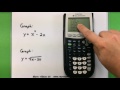
Graphing with TI 83/84 Calculators

Interactive Video
•
Mathematics
•
9th - 10th Grade
•
Practice Problem
•
Hard

Thomas White
FREE Resource
Read more
9 questions
Show all answers
1.
MULTIPLE CHOICE QUESTION
30 sec • 1 pt
What is the primary focus of the video tutorial?
Solving algebraic equations manually
Programming with TI calculators
Basic graphing using TI 83/84 calculators
Advanced calculus techniques
2.
MULTIPLE CHOICE QUESTION
30 sec • 1 pt
How do you access the Y= screen on a TI 83/84 calculator?
Press the 'Trace' button
Press the 'Mode' button
Press the 'Graph' button
Press the 'Y=' button
3.
MULTIPLE CHOICE QUESTION
30 sec • 1 pt
What part of the equation do you need to enter on the Y= screen?
Only the constants in the equation
The equation without the Y part
Only the X part of the equation
The entire equation including Y=
4.
MULTIPLE CHOICE QUESTION
30 sec • 1 pt
Why is it important to adjust the window size before graphing?
To save battery life
To change the color of the graph
To get a clearer picture of the graph
To ensure the graph is centered
5.
MULTIPLE CHOICE QUESTION
30 sec • 1 pt
What is the default range for X and Y values in the window settings?
-10 to 10
-5 to 5
-20 to 20
-15 to 15
6.
MULTIPLE CHOICE QUESTION
30 sec • 1 pt
What happens if you don't adjust the window size for the second equation?
The graph will be displayed incorrectly
The graph will be too small to see
The graph will overlap with the first one
The graph will not display
7.
MULTIPLE CHOICE QUESTION
30 sec • 1 pt
How can you turn off a graph without deleting it?
Highlight the equal sign and press enter
Change the window settings
Erase the equation
Turn off the calculator
Access all questions and much more by creating a free account
Create resources
Host any resource
Get auto-graded reports

Continue with Google

Continue with Email

Continue with Classlink

Continue with Clever
or continue with

Microsoft
%20(1).png)
Apple

Others
Already have an account?


