
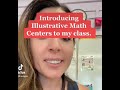
Classroom Game Implementation Strategies

Interactive Video
•
Mathematics
•
3rd - 4th Grade
•
Practice Problem
•
Hard

Thomas White
FREE Resource
Read more
15 questions
Show all answers
1.
MULTIPLE CHOICE QUESTION
30 sec • 1 pt
What is the main purpose of the video tutorial?
To plan a field trip
To review last year's classroom activities
To discuss third-grade curriculum changes
To introduce a new game to the classroom
2.
MULTIPLE CHOICE QUESTION
30 sec • 1 pt
Which grade is the game designed for?
Second grade
Fourth grade
First grade
Third grade
3.
MULTIPLE CHOICE QUESTION
30 sec • 1 pt
What is the main focus of the game in the curriculum?
Sort and display
Addition and subtraction
Science experiments
Reading comprehension
4.
MULTIPLE CHOICE QUESTION
30 sec • 1 pt
What teaching method does the teacher use to present the game?
Slides
Handouts
Chalkboard
Videos
5.
MULTIPLE CHOICE QUESTION
30 sec • 1 pt
What does the teacher use to present information on the whiteboard?
Textbooks
Audio recordings
Teaching slides
Printed handouts
6.
MULTIPLE CHOICE QUESTION
30 sec • 1 pt
How does the teacher demonstrate the game to the students?
By playing with a student
By showing a video
By drawing on the board
By reading instructions
7.
MULTIPLE CHOICE QUESTION
30 sec • 1 pt
What items are included in the sort and display bin?
Markers and erasers
Game boards and whiteboards
Books and pencils
Notebooks and rulers
Access all questions and much more by creating a free account
Create resources
Host any resource
Get auto-graded reports

Continue with Google

Continue with Email

Continue with Classlink

Continue with Clever
or continue with

Microsoft
%20(1).png)
Apple

Others
Already have an account?


