
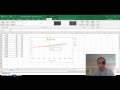
Creating and Analyzing Scatter Plots

Interactive Video
•
Science
•
9th - 10th Grade
•
Practice Problem
•
Hard

Patricia Brown
FREE Resource
Read more
10 questions
Show all answers
1.
MULTIPLE CHOICE QUESTION
30 sec • 1 pt
What is the purpose of creating a scatter plot in the greenhouse effect lab?
To compare the temperature changes in different bottles
To calculate the average temperature
To determine the time of day
To measure the amount of carbon dioxide
2.
MULTIPLE CHOICE QUESTION
30 sec • 1 pt
Which columns should be highlighted to create the scatter plot?
The time column only
The three titles and all numbers below them
All columns including the temperature degrees C box
Only the temperature column
3.
MULTIPLE CHOICE QUESTION
30 sec • 1 pt
What is the first step after highlighting the data to create a scatter plot?
Add a title to the graph
Click on 'Insert' and select 'Scatter Plot'
Change the color of the data points
Save the document
4.
MULTIPLE CHOICE QUESTION
30 sec • 1 pt
What should be the main title of the graph?
Comparison of Control and CO2 Bottles
Temperature Changes Over Time
How does a greenhouse gas such as CO2 affect temperature?
Greenhouse Effect Lab Results
5.
MULTIPLE CHOICE QUESTION
30 sec • 1 pt
What should the Y-axis title be?
Temperature in degrees Celsius
Control Bottle Temperature
Time in minutes
CO2 Levels
6.
MULTIPLE CHOICE QUESTION
30 sec • 1 pt
What is the purpose of adding trend lines to the scatter plot?
To highlight the data points
To change the color of the graph
To add more data points
To show the general direction of the data
7.
MULTIPLE CHOICE QUESTION
30 sec • 1 pt
How do you add a trend line to a specific set of points?
Click on the plus, then the arrow for trend line, and choose 'Linear'
Right-click on the graph and select 'Add Trend Line'
Click on the plus and select 'Add Data'
Double-click on the data points
Access all questions and much more by creating a free account
Create resources
Host any resource
Get auto-graded reports

Continue with Google

Continue with Email

Continue with Classlink

Continue with Clever
or continue with

Microsoft
%20(1).png)
Apple

Others
Already have an account?


