
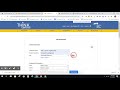
Creating and Managing Digital Assignments

Interactive Video
•
Science
•
6th - 7th Grade
•
Practice Problem
•
Hard

Patricia Brown
FREE Resource
Read more
10 questions
Show all answers
1.
MULTIPLE CHOICE QUESTION
30 sec • 1 pt
What is the first step in creating an assignment in Science Fusion?
Select a lesson
Choose a grade
Enter assignment instructions
Click the resources gadget
2.
MULTIPLE CHOICE QUESTION
30 sec • 1 pt
After selecting the Ohio Science Fusion program, what should you do next?
Assign a lesson
Preview the assignment
Choose a grade
Click on the student resources
3.
MULTIPLE CHOICE QUESTION
30 sec • 1 pt
Where do you find the unit resources that can be assigned?
On the right panel
In the student dashboard
In the resource library
On the left panel
4.
MULTIPLE CHOICE QUESTION
30 sec • 1 pt
How can you preview what a student will see in their digital lesson?
By clicking the preview button
By selecting the student dashboard
By opening the lesson title
By accessing the resource library
5.
MULTIPLE CHOICE QUESTION
30 sec • 1 pt
What can you add to an assignment besides the main lesson?
Class schedules
Teacher notes
Student grades
Extra support for vocabulary
6.
MULTIPLE CHOICE QUESTION
30 sec • 1 pt
Which type of additional resource allows you to type extra information for students?
URL link
Text only
Video tutorial
Audio file
7.
MULTIPLE CHOICE QUESTION
30 sec • 1 pt
What is the purpose of adding a URL link to an assignment?
To access student grades
To link to the teacher's blog
To support the concepts being taught
To provide extra reading material
Access all questions and much more by creating a free account
Create resources
Host any resource
Get auto-graded reports

Continue with Google

Continue with Email

Continue with Classlink

Continue with Clever
or continue with

Microsoft
%20(1).png)
Apple

Others
Already have an account?


