
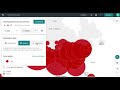
Social Explorer Features and Functions

Interactive Video
•
Geography, Computers, Social Studies
•
9th - 10th Grade
•
Practice Problem
•
Hard

Patricia Brown
FREE Resource
Read more
7 questions
Show all answers
1.
MULTIPLE CHOICE QUESTION
30 sec • 1 pt
What is the first step to start exploring maps in Social Explorer?
Click on the Change Data menu
Choose a color palette
Select a category from the list
Click Explore on the dashboard
2.
MULTIPLE CHOICE QUESTION
30 sec • 1 pt
How can you start browsing data in Social Explorer?
By selecting a map type
By clicking on the dashboard
By browsing data by Categories, Surveys, and Saved Variables
By changing the color palette
3.
MULTIPLE CHOICE QUESTION
30 sec • 1 pt
Which data category is used as an example in the tutorial?
Employment statistics
Population less than 25 years old
Housing data from ACS 2017
Income data from ACS 2017
4.
MULTIPLE CHOICE QUESTION
30 sec • 1 pt
What are the different geographic levels you can view data at in Social Explorer?
State, County, and Census Tract
Continent, Country, and State
Country, State, and City
Region, District, and Block
5.
MULTIPLE CHOICE QUESTION
30 sec • 1 pt
Which of the following is NOT a visualization type available in Social Explorer?
Heat map
Dot density map
Bubble map
Shaded area map
6.
MULTIPLE CHOICE QUESTION
30 sec • 1 pt
What feature allows you to compare different variables from the same data set?
Change Data menu
Swipe Mode
Map legend
Color palette
7.
MULTIPLE CHOICE QUESTION
30 sec • 1 pt
How can you save your map in Social Explorer?
By embedding it in a report
By sharing it on social media
By exporting it as a PDF
By clicking the Save As button
Access all questions and much more by creating a free account
Create resources
Host any resource
Get auto-graded reports

Continue with Google

Continue with Email

Continue with Classlink

Continue with Clever
or continue with

Microsoft
%20(1).png)
Apple

Others
Already have an account?


