
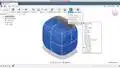
Learn Fusion 360 in 30 Days - Day #22: Sculpting Earbud Headphones

Interactive Video
•
Arts, Information Technology (IT), Architecture
•
University
•
Practice Problem
•
Hard

Wayground Content
FREE Resource
Read more
4 questions
Show all answers
1.
OPEN ENDED QUESTION
3 mins • 1 pt
How can you ensure that only faces are selected when using the paint selection tool?
Evaluate responses using AI:
OFF
2.
OPEN ENDED QUESTION
3 mins • 1 pt
What is the significance of the crease tool in the sculpting process?
Evaluate responses using AI:
OFF
3.
OPEN ENDED QUESTION
3 mins • 1 pt
What should you do after you are satisfied with the sculpted shape?
Evaluate responses using AI:
OFF
4.
OPEN ENDED QUESTION
3 mins • 1 pt
Discuss the importance of mastering the sculpt workspace commands.
Evaluate responses using AI:
OFF
Access all questions and much more by creating a free account
Create resources
Host any resource
Get auto-graded reports

Continue with Google

Continue with Email

Continue with Classlink

Continue with Clever
or continue with

Microsoft
%20(1).png)
Apple

Others
Already have an account?


