
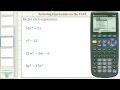
Factoring Expressions with the TI-89 Graphing Calculator

Interactive Video
•
Mathematics, Computers
•
7th - 10th Grade
•
Practice Problem
•
Hard

Lucas Foster
FREE Resource
Read more
10 questions
Show all answers
1.
MULTIPLE CHOICE QUESTION
30 sec • 1 pt
What is the first step to start a new problem on the TI-89 calculator?
Press F5 and select option 4
Press F6 and select option 2
Press F2 and select option 3
Press F1 and select option 1
2.
MULTIPLE CHOICE QUESTION
30 sec • 1 pt
Which menu option is used to access the factor function on the TI-89?
F3
F4
F1
F2
3.
MULTIPLE CHOICE QUESTION
30 sec • 1 pt
What is the factored form of the expression 36x^2 + 9x?
3x(12x + 3)
9x(4x + 1)
12x(3x + 0.75)
6x(6x + 1.5)
4.
MULTIPLE CHOICE QUESTION
30 sec • 1 pt
How can you edit a previous entry on the TI-89 calculator?
Press F1 and select edit
Press F2 and re-enter the expression
Press F3 and select modify
Use the arrow keys to navigate and edit
5.
MULTIPLE CHOICE QUESTION
30 sec • 1 pt
What is the factored form of y^2 - 25?
(y - 15)(y + 10)
(y - 5)(y + 5)
(y - 10)(y + 2.5)
(y - 25)(y + 1)
6.
MULTIPLE CHOICE QUESTION
30 sec • 1 pt
Which key is used to input the variable 'm' on the TI-89?
Alpha 5
Alpha 6
Alpha 8
Alpha 7
7.
MULTIPLE CHOICE QUESTION
30 sec • 1 pt
What is the factored form of 21m^2 - 5m - 6?
(3m - 2)(7m + 3)
(3m + 3)(7m - 2)
(3m - 3)(7m + 2)
(3m + 2)(7m - 3)
Access all questions and much more by creating a free account
Create resources
Host any resource
Get auto-graded reports

Continue with Google

Continue with Email

Continue with Classlink

Continue with Clever
or continue with

Microsoft
%20(1).png)
Apple

Others
Already have an account?

