
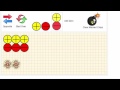
Understanding Unitor Chips Virtual Manipulative

Interactive Video
•
Mathematics, Instructional Technology, Education
•
3rd - 6th Grade
•
Practice Problem
•
Hard

Ethan Morris
FREE Resource
Read more
8 questions
Show all answers
1.
MULTIPLE CHOICE QUESTION
30 sec • 1 pt
How can you add multiple positive chips to the canvas?
By typing the number of chips needed
By clicking and dragging them one by one
By shaking the device
By clicking the positive chip multiple times
2.
MULTIPLE CHOICE QUESTION
30 sec • 1 pt
What happens when you drag a negative chip onto a positive chip?
They multiply
They disappear
They simplify to zero
They change color
3.
MULTIPLE CHOICE QUESTION
30 sec • 1 pt
How can you remove chips from the canvas?
By clicking on them and pressing delete
By dragging them off the screen
By clicking on them to make them transparent and then clearing
By shaking the device
4.
MULTIPLE CHOICE QUESTION
30 sec • 1 pt
What is a zero pair in the context of integer chips?
A positive and a negative chip together
A chip with no value
Two negative chips
Two positive chips
5.
MULTIPLE CHOICE QUESTION
30 sec • 1 pt
How can you simplify a canvas full of zero pairs?
By clicking each pair individually
By pressing the reset button
By dragging them to the corner
By clicking all chips and then clearing marked chips
6.
MULTIPLE CHOICE QUESTION
30 sec • 1 pt
What should you do if you want to start over with a new canvas?
Click Start over
Press the opposite button
Drag all chips off the screen
Click the reset button
7.
MULTIPLE CHOICE QUESTION
30 sec • 1 pt
How do you flip the chips to their opposite value?
By clicking on them twice
By shaking the device
By dragging them to the opposite side
By pressing the opposite button
Access all questions and much more by creating a free account
Create resources
Host any resource
Get auto-graded reports

Continue with Google

Continue with Email

Continue with Classlink

Continue with Clever
or continue with

Microsoft
%20(1).png)
Apple

Others
Already have an account?

