
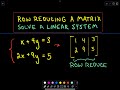
Matrix Row Operations and Solutions

Interactive Video
•
Mathematics
•
9th - 12th Grade
•
Practice Problem
•
Hard
+1
Standards-aligned

Amelia Wright
FREE Resource
Standards-aligned
Read more
10 questions
Show all answers
1.
MULTIPLE CHOICE QUESTION
30 sec • 1 pt
What is the purpose of switching rows in a matrix?
To change the order of equations
To eliminate variables
To simplify the matrix
To add constants to the matrix
Tags
CCSS.HSA.REI.C.9
2.
MULTIPLE CHOICE QUESTION
30 sec • 1 pt
What does it mean if a matrix has a diagonal of ones and zeros elsewhere?
The system is inconsistent
The system has infinite solutions
The system has a unique solution
The system has no solution
Tags
CCSS.8.EE.C.8B
CCSS.HSA.REI.C.6
3.
MULTIPLE CHOICE QUESTION
30 sec • 1 pt
What is the first step in solving a linear system using matrices?
Finding the determinant
Setting up the matrix with coefficients
Switching rows
Adding rows
Tags
CCSS.8.EE.C.8B
CCSS.HSA.REI.C.6
4.
MULTIPLE CHOICE QUESTION
30 sec • 1 pt
How do you achieve a zero in a specific position of a matrix?
By adding a multiple of another row
By switching the row with another
By multiplying the row by zero
By subtracting a constant from the row
5.
MULTIPLE CHOICE QUESTION
30 sec • 1 pt
What is the result of multiplying a row by a constant?
The row becomes zero
The row is unchanged
The row is scaled by the constant
The row is switched with another
Tags
CCSS.8.EE.C.8B
CCSS.HSA.REI.C.6
6.
MULTIPLE CHOICE QUESTION
30 sec • 1 pt
Why might you switch two rows in a matrix?
To create a zero in a specific position
To change the order of solutions
To eliminate a variable
To make calculations easier
Tags
CCSS.HSN.VM.C.6
7.
MULTIPLE CHOICE QUESTION
30 sec • 1 pt
What is the goal when performing row operations on a matrix?
To achieve a diagonal of ones
To switch all rows
To find the determinant
To make all entries zero
Tags
CCSS.8.EE.C.8B
Access all questions and much more by creating a free account
Create resources
Host any resource
Get auto-graded reports

Continue with Google

Continue with Email

Continue with Classlink

Continue with Clever
or continue with

Microsoft
%20(1).png)
Apple

Others
Already have an account?


