
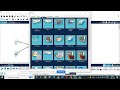
Cisco Packet Tracer Networking Concepts

Interactive Video
•
Computers, Instructional Technology
•
7th - 12th Grade
•
Practice Problem
•
Hard

Lucas Foster
FREE Resource
Read more
10 questions
Show all answers
1.
MULTIPLE CHOICE QUESTION
30 sec • 1 pt
What devices are initially set up in the Cisco Packet Tracer tutorial?
Two routers and a switch
A router and three PCs
A router, a switch, and two PCs
Three switches and a PC
2.
MULTIPLE CHOICE QUESTION
30 sec • 1 pt
What is the first step to connect the devices in the network?
Configure IP addresses
Set up a firewall
Enable the router
Use cable connections
3.
MULTIPLE CHOICE QUESTION
30 sec • 1 pt
Which command is used to enable the router in the Cisco Packet Tracer?
enable
shutdown
start
no shutdown
4.
MULTIPLE CHOICE QUESTION
30 sec • 1 pt
What IP address is assigned to the router's interface?
192.168.0.1
192.168.1.2
192.168.1.3
192.168.1.1
5.
MULTIPLE CHOICE QUESTION
30 sec • 1 pt
What subnet mask is used for the router's IP address?
255.255.255.0
255.255.0.0
255.0.0.0
255.255.255.255
6.
MULTIPLE CHOICE QUESTION
30 sec • 1 pt
What IP address is assigned to PC0?
192.168.1.1
192.168.1.2
192.168.1.3
192.168.0.2
7.
MULTIPLE CHOICE QUESTION
30 sec • 1 pt
What is the default gateway for PC0?
192.168.0.1
192.168.1.3
192.168.1.2
192.168.1.1
Access all questions and much more by creating a free account
Create resources
Host any resource
Get auto-graded reports

Continue with Google

Continue with Email

Continue with Classlink

Continue with Clever
or continue with

Microsoft
%20(1).png)
Apple

Others
Already have an account?


