
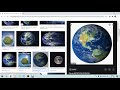
PowerPoint Presentation Skills Assessment

Interactive Video
•
Computers, Design, Education, Instructional Technology
•
3rd - 6th Grade
•
Practice Problem
•
Hard

Sophia Harris
FREE Resource
Read more
10 questions
Show all answers
1.
MULTIPLE CHOICE QUESTION
30 sec • 1 pt
What is the first step in creating a PowerPoint presentation?
Write the subtitle
Open Microsoft Word
Click on the PowerPoint symbol
Search for images on Google
2.
MULTIPLE CHOICE QUESTION
30 sec • 1 pt
How can you change the font of the title in PowerPoint?
By clicking on the font option and selecting a new font
By dragging the title to a new position
By right-clicking the slide
By double-clicking the title
3.
MULTIPLE CHOICE QUESTION
30 sec • 1 pt
What should you write in the subtitle section of the cover slide?
The main content of the presentation
Your name, grade, and teacher's name
A summary of the presentation
The date of the presentation
4.
MULTIPLE CHOICE QUESTION
30 sec • 1 pt
How do you insert an image from Google into your PowerPoint slide?
By using the 'Insert Image' tool in PowerPoint
By dragging the image directly from Google
By copying the image and pasting it into PowerPoint
By taking a screenshot of the image
5.
MULTIPLE CHOICE QUESTION
30 sec • 1 pt
What is the method to resize an image in PowerPoint?
By right-clicking and selecting 'Resize'
By using the 'Format' menu
By double-clicking the image
By clicking on the image and dragging the corners
6.
MULTIPLE CHOICE QUESTION
30 sec • 1 pt
What should you do if the inserted image is too large?
Use the 'Crop' tool
Change the slide layout
Delete the image and try again
Resize it by dragging the corners
7.
MULTIPLE CHOICE QUESTION
30 sec • 1 pt
How can you create a new slide in PowerPoint?
By selecting 'File' and then 'New'
By clicking on 'New Slide'
By pressing 'Ctrl + N'
By right-clicking the current slide
Access all questions and much more by creating a free account
Create resources
Host any resource
Get auto-graded reports

Continue with Google

Continue with Email

Continue with Classlink

Continue with Clever
or continue with

Microsoft
%20(1).png)
Apple

Others
Already have an account?


