
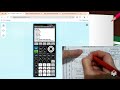
Using TI Calculator for Regression

Interactive Video
•
Mathematics, Computers, Education
•
7th - 10th Grade
•
Practice Problem
•
Hard

Mia Campbell
FREE Resource
Read more
10 questions
Show all answers
1.
MULTIPLE CHOICE QUESTION
30 sec • 1 pt
What is the first step in setting up the regression calculator?
Entering data into the calculator
Opening the notebook and preparing pages
Adjusting the window settings
Clearing the lists
2.
MULTIPLE CHOICE QUESTION
30 sec • 1 pt
Which button is used to clear lists on the TI calculator?
Vars
Graph
Stat
Mode
3.
MULTIPLE CHOICE QUESTION
30 sec • 1 pt
What should be done to ensure the calculator's diagnostics are on?
Enter data into L1 and L2
Use the stat button
Press the graph button
Check the mode settings
4.
MULTIPLE CHOICE QUESTION
30 sec • 1 pt
Where do you enter the x-values in the calculator?
List 1 (L1)
List 2 (L2)
Y equals
Graph
5.
MULTIPLE CHOICE QUESTION
30 sec • 1 pt
What is the purpose of adjusting the window settings?
To clear the lists
To ensure diagnostics are on
To properly view the data range
To enter data into the calculator
6.
MULTIPLE CHOICE QUESTION
30 sec • 1 pt
Which function is used to plot points on the calculator?
Mode
Y equals
Vars
Stat
7.
MULTIPLE CHOICE QUESTION
30 sec • 1 pt
What should you do if your scatterplot does not match the expected plot?
Re-enter the data
Clear the lists again
Raise your hand for help
Adjust the window settings
Access all questions and much more by creating a free account
Create resources
Host any resource
Get auto-graded reports

Continue with Google

Continue with Email

Continue with Classlink

Continue with Clever
or continue with

Microsoft
%20(1).png)
Apple

Others
Already have an account?


