
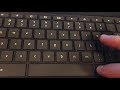
Keyboard Shortcuts for Accent Marks

Interactive Video
•
World Languages, Computers, Education, Instructional Technology
•
5th - 8th Grade
•
Practice Problem
•
Hard

Ethan Morris
FREE Resource
Read more
10 questions
Show all answers
1.
MULTIPLE CHOICE QUESTION
30 sec • 1 pt
What is the initial step to make accent marks according to the tutorial?
Access the settings menu
Download a special app
Use a physical accent mark tool
Open a word processor
2.
MULTIPLE CHOICE QUESTION
30 sec • 1 pt
Where can students find the option to manage input methods?
In the privacy settings
Under the network settings
In the language and input settings
In the display settings
3.
MULTIPLE CHOICE QUESTION
30 sec • 1 pt
Which keyboard layout is recommended for making accent marks?
International Keyboard
UK Keyboard
US Extended Keyboard
US Standard Keyboard
4.
MULTIPLE CHOICE QUESTION
30 sec • 1 pt
What is the benefit of using the US extended keyboard?
It allows for easier accent mark creation
It has more keys
It is faster to type with
It is more ergonomic
5.
MULTIPLE CHOICE QUESTION
30 sec • 1 pt
What is the purpose of opening a Google Doc in the tutorial?
To share a document
To write a report
To check spelling
To demonstrate accent mark shortcuts
6.
MULTIPLE CHOICE QUESTION
30 sec • 1 pt
Which key is used in combination with letters to create accent marks?
Shift
Ctrl
Right Alt
Left Alt
7.
MULTIPLE CHOICE QUESTION
30 sec • 1 pt
How do you create an accented 'i' using the keyboard shortcut?
Press Ctrl + i
Press Right Alt + i
Press Shift + i
Press Left Alt + i
Access all questions and much more by creating a free account
Create resources
Host any resource
Get auto-graded reports

Continue with Google

Continue with Email

Continue with Classlink

Continue with Clever
or continue with

Microsoft
%20(1).png)
Apple

Others
Already have an account?


