
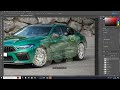
Image Editing Techniques in Photoshop

Interactive Video
•
Design, Computers, Arts
•
6th - 10th Grade
•
Practice Problem
•
Medium

Liam Anderson
Used 4+ times
FREE Resource
Read more
10 questions
Show all answers
1.
MULTIPLE CHOICE QUESTION
30 sec • 1 pt
What types of images can you add to a car in Photoshop?
Only animal images
Only logos
Only text
Any type of image, including scenes and logos
2.
MULTIPLE CHOICE QUESTION
30 sec • 1 pt
What is the first step in adding a dolphin image to the car?
Adjust the opacity
Use the eraser tool
Copy the image from the internet
Resize the image
3.
MULTIPLE CHOICE QUESTION
30 sec • 1 pt
Which tool is used to resize the dolphin image while maintaining proportions?
Eraser Tool
Polygonal Lasso Tool
Magic Wand Tool
Ctrl T
4.
MULTIPLE CHOICE QUESTION
30 sec • 1 pt
What should you do after lowering the opacity of the dolphin image?
Increase the size of the image
Use the eraser tool to remove unwanted parts
Change the image to grayscale
Use the lasso tool to cut out the image
5.
MULTIPLE CHOICE QUESTION
30 sec • 1 pt
What is the purpose of using the polygonal lasso tool when adding a tiger image?
To cut out specific parts of the car
To resize the image
To add text to the image
To change the color of the image
6.
MULTIPLE CHOICE QUESTION
30 sec • 1 pt
How do you maintain the proportions of the tiger image while resizing?
Use Ctrl T without holding Shift
Use the Magic Wand Tool
Hold Shift
Use the Eraser Tool
7.
MULTIPLE CHOICE QUESTION
30 sec • 1 pt
Which tool is used to remove the white background from the cash graphic?
Eraser Tool
Magic Wand Tool
Polygonal Lasso Tool
Move Tool
Access all questions and much more by creating a free account
Create resources
Host any resource
Get auto-graded reports

Continue with Google

Continue with Email

Continue with Classlink

Continue with Clever
or continue with

Microsoft
%20(1).png)
Apple

Others
Already have an account?


