
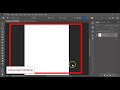
Photoshop Workspace and Tools

Interactive Video
•
Computers, Design, Education, Instructional Technology
•
6th - 10th Grade
•
Practice Problem
•
Easy

Olivia Brooks
Used 9+ times
FREE Resource
Read more
10 questions
Show all answers
1.
MULTIPLE CHOICE QUESTION
30 sec • 1 pt
What can you do under the 'File' menu in Photoshop?
Open the layers panel
Change the font size
Create a new document
Adjust the brightness
2.
MULTIPLE CHOICE QUESTION
30 sec • 1 pt
Which menu allows you to undo mistakes in Photoshop?
Edit
Window
File
View
3.
MULTIPLE CHOICE QUESTION
30 sec • 1 pt
What does the options bar change based on?
The workspace layout
The color mode
The document size
The selected tool
4.
MULTIPLE CHOICE QUESTION
30 sec • 1 pt
Which tool allows you to resize an image in Photoshop?
Brush tool
Move tool
Eraser tool
Crop tool
5.
MULTIPLE CHOICE QUESTION
30 sec • 1 pt
Where are the tools located in the Photoshop workspace?
At the top
On the right side
On the left side
At the bottom
6.
MULTIPLE CHOICE QUESTION
30 sec • 1 pt
What is the area called where your image is located in Photoshop?
Document window
Options bar
Layers panel
Menu bar
7.
MULTIPLE CHOICE QUESTION
30 sec • 1 pt
Which panel is considered the most important in Photoshop?
Adjustments
Character
Layers
Styles
Access all questions and much more by creating a free account
Create resources
Host any resource
Get auto-graded reports

Continue with Google

Continue with Email

Continue with Classlink

Continue with Clever
or continue with

Microsoft
%20(1).png)
Apple

Others
Already have an account?


