
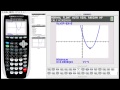
Exploring Graphing Functions on the TI-84 Plus

Interactive Video
•
Mathematics
•
8th - 12th Grade
•
Practice Problem
•
Hard
+1
Standards-aligned

Emma Peterson
FREE Resource
Standards-aligned
10 questions
Show all answers
1.
MULTIPLE CHOICE QUESTION
30 sec • 1 pt
What is the first step to ensure no plots interfere with graphing functions on the TI-84 calculator?
Turn off all plots
Turn off the calculator
Reset the calculator
Clear all functions
Tags
CCSS.HSF-IF.C.7D
2.
MULTIPLE CHOICE QUESTION
30 sec • 1 pt
How many functions can you graph simultaneously on the TI-84 calculator?
5
7
9
11
Tags
CCSS.HSF-IF.C.7B
3.
MULTIPLE CHOICE QUESTION
30 sec • 1 pt
Which key do you press to adjust the window settings before graphing a function?
Trace
Zoom
Window
Y=
Tags
CCSS.HSF-IF.C.7E
4.
MULTIPLE CHOICE QUESTION
30 sec • 1 pt
What does the ZStandard zoom option set the window to?
0 to 10 on the x and y axis
0 to 5 on the x and y axis
-5 to 5 on the x and y axis
-10 to 10 on the x and y axis
Tags
CCSS.HSF-IF.C.7E
5.
MULTIPLE CHOICE QUESTION
30 sec • 1 pt
Which button do you press to find the y-intercept of a graph?
Trace
Window
Zoom
Graph
6.
MULTIPLE CHOICE QUESTION
30 sec • 1 pt
To find the x-intercept, which menu do you access after pressing the second button?
Window
Zoom
Trace
Calc
Tags
CCSS.HSF-IF.C.7A
7.
MULTIPLE CHOICE QUESTION
30 sec • 1 pt
What is the minimum value of the function x^2 - 6x + 5?
x = 1, y = 0
x = 3, y = -4
x = 0, y = 5
x = 2, y = -1
Access all questions and much more by creating a free account
Create resources
Host any resource
Get auto-graded reports

Continue with Google

Continue with Email

Continue with Classlink

Continue with Clever
or continue with

Microsoft
%20(1).png)
Apple

Others
Already have an account?


