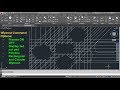
Wipeout Command Tutorial Quiz

Interactive Video
•
Computers
•
9th - 10th Grade
•
Practice Problem
•
Hard

Nancy Jackson
FREE Resource
5 questions
Show all answers
1.
MULTIPLE CHOICE QUESTION
30 sec • 1 pt
What is the keyboard shortcut for the wipeout command?
W I Enter
W O Enter
W P Enter
W E Enter
2.
MULTIPLE CHOICE QUESTION
30 sec • 1 pt
How can you prevent object snaps from interfering when creating a wipeout area?
By turning off object snaps
By using a different command
By increasing the snap sensitivity
By adjusting the grid size
3.
MULTIPLE CHOICE QUESTION
30 sec • 1 pt
Which option allows you to display wipeout lines without plotting them?
Show and hide
Hide and plot
Display but not plot
Plot but not display
4.
MULTIPLE CHOICE QUESTION
30 sec • 1 pt
What should you do if you want to create a wipeout using an existing polyline shape?
Select the polyline and choose to erase or keep it
Convert the polyline to a circle
Use the erase command on the polyline
Select the polyline and change its color
5.
MULTIPLE CHOICE QUESTION
30 sec • 1 pt
How can you create a wipeout for a circular shape?
By creating a polygon with maximum edges
By using a circle tool directly
By converting a circle to a polyline
By using a rectangle tool
Access all questions and much more by creating a free account
Create resources
Host any resource
Get auto-graded reports

Continue with Google

Continue with Email

Continue with Classlink

Continue with Clever
or continue with

Microsoft
%20(1).png)
Apple

Others
Already have an account?
Popular Resources on Wayground

15 questions
Fractions on a Number Line

Quiz
•
3rd Grade
20 questions
Equivalent Fractions
Quiz
•
3rd Grade
25 questions
Multiplication Facts
Quiz
•
5th Grade
54 questions
Analyzing Line Graphs & Tables
Quiz
•
4th Grade
22 questions
fractions
Quiz
•
3rd Grade
20 questions
Main Idea and Details
Quiz
•
5th Grade
20 questions
Context Clues
Quiz
•
6th Grade
15 questions
Equivalent Fractions
Quiz
•
4th Grade
