
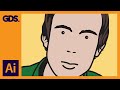
Creating a Julian Opie Style Portrait in Adobe Illustrator

Interactive Video
•
Design
•
9th - 10th Grade
•
Practice Problem
•
Hard

Nancy Jackson
FREE Resource
10 questions
Show all answers
1.
MULTIPLE CHOICE QUESTION
30 sec • 1 pt
What is the primary artistic style being demonstrated in this tutorial?
Impressionism
Surrealism
Julian Opie Style
Cubism
2.
MULTIPLE CHOICE QUESTION
30 sec • 1 pt
Which panels are essential to have open in Adobe Illustrator for this tutorial?
Color, Gradient, and Swatches
Pathfinder, Align, and Transform
Symbols, Actions, and Appearance
Layers, Stroke, and Brushes
3.
MULTIPLE CHOICE QUESTION
30 sec • 1 pt
What is the first step in preparing the image for tracing?
Cropping the image
Adjusting the color balance
Setting the transparency to 50%
Applying a filter
4.
MULTIPLE CHOICE QUESTION
30 sec • 1 pt
Which tool is primarily used for tracing the outline of the face?
Pen Tool
Eraser Tool
Rectangle Tool
Brush Tool
5.
MULTIPLE CHOICE QUESTION
30 sec • 1 pt
What is the purpose of using the Convert Anchor Point tool?
To erase parts of the path
To add color to the path
To adjust the curves of the path
To duplicate the path
6.
MULTIPLE CHOICE QUESTION
30 sec • 1 pt
How can you create a perfect circle for the eyes?
By using the Brush Tool
By drawing freehand with the Pen Tool
By holding the Shift key while using the Ellipse Tool
By using the Rectangle Tool
7.
MULTIPLE CHOICE QUESTION
30 sec • 1 pt
What is a characteristic feature of the Julian Opie style mouth?
A zigzag pattern
A heart shape
A simple line
Detailed lips with shading
Access all questions and much more by creating a free account
Create resources
Host any resource
Get auto-graded reports

Continue with Google

Continue with Email

Continue with Classlink

Continue with Clever
or continue with

Microsoft
%20(1).png)
Apple

Others
Already have an account?

