
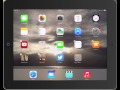
Organizing Apps into Folders on iPad

Interactive Video
•
Computers
•
6th - 7th Grade
•
Practice Problem
•
Hard

Jennifer Brown
FREE Resource
5 questions
Show all answers
1.
MULTIPLE CHOICE QUESTION
30 sec • 1 pt
Why is it beneficial to organize apps into folders on an iPad?
It makes the iPad look more colorful.
It helps in storing apps with similar purposes together.
It increases the battery life of the iPad.
It automatically updates all apps.
2.
MULTIPLE CHOICE QUESTION
30 sec • 1 pt
What is the first step in creating a folder on an iPad?
Tap and hold on the home button.
Drag the app to the bottom of the screen.
Tap and hold on an app until it becomes animated.
Double-tap the app icon.
3.
MULTIPLE CHOICE QUESTION
30 sec • 1 pt
How can you rename a newly created folder on an iPad?
By swiping left on the folder.
By pressing the volume button.
By shaking the iPad.
By tapping the folder name and typing a new one.
4.
MULTIPLE CHOICE QUESTION
30 sec • 1 pt
What should you do to add another app to an existing folder?
Tap the app and select 'Add to Folder'.
Drag the app over the folder and release it.
Double-tap the folder and select 'Add App'.
Swipe up on the app.
5.
MULTIPLE CHOICE QUESTION
30 sec • 1 pt
How can you delete a folder on an iPad?
By dragging all apps out of the folder.
By pressing the delete button on the folder.
By shaking the iPad.
By swiping left on the folder.
Access all questions and much more by creating a free account
Create resources
Host any resource
Get auto-graded reports

Continue with Google

Continue with Email

Continue with Classlink

Continue with Clever
or continue with

Microsoft
%20(1).png)
Apple

Others
Already have an account?

