
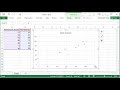
Scatterplots and Correlation in Excel

Interactive Video
•
Mathematics, Computers, Science
•
9th - 10th Grade
•
Practice Problem
•
Hard

Patricia Brown
FREE Resource
Read more
10 questions
Show all answers
1.
MULTIPLE CHOICE QUESTION
30 sec • 1 pt
Why is it important for data to be paired when creating a scatterplot?
To simplify the data entry process
To make the scatterplot visually appealing
To accurately represent the relationship between two variables
To ensure the data is evenly distributed
2.
MULTIPLE CHOICE QUESTION
30 sec • 1 pt
What is the first step in creating a scatterplot in Excel?
Calculate the correlation coefficient
Select the scatterplot option from the charts menu
Highlight the data columns you want to plot
Add labels to the axes
3.
MULTIPLE CHOICE QUESTION
30 sec • 1 pt
Which tab in Excel do you use to insert a scatterplot?
Home
Insert
Data
Review
4.
MULTIPLE CHOICE QUESTION
30 sec • 1 pt
What can be added to a scatterplot to make it more informative?
A title and axis labels
A background image
A pie chart
A table of contents
5.
MULTIPLE CHOICE QUESTION
30 sec • 1 pt
What is a common title format for scatterplots?
Variable A vs. Variable B
Data Analysis
Scatterplot Overview
Comparison of Variables
6.
MULTIPLE CHOICE QUESTION
30 sec • 1 pt
What function is used in Excel to calculate the correlation coefficient?
STDEV
AVERAGE
SUM
CORREL
7.
MULTIPLE CHOICE QUESTION
30 sec • 1 pt
In the CORREL function, what do array 1 and array 2 represent?
The titles of the data sets
The X and Y values of the data sets
The number of data points
The average values of the data sets
Access all questions and much more by creating a free account
Create resources
Host any resource
Get auto-graded reports

Continue with Google

Continue with Email

Continue with Classlink

Continue with Clever
or continue with

Microsoft
%20(1).png)
Apple

Others
Already have an account?

