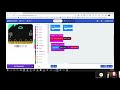
Micro:bit Timer Functionality

Interactive Video
•
Computers, Instructional Technology, Design
•
6th - 8th Grade
•
Practice Problem
•
Hard

Patricia Brown
FREE Resource
Read more
10 questions
Show all answers
1.
MULTIPLE CHOICE QUESTION
30 sec • 1 pt
What is the first step to use the timer on the micro:bit?
Start the program
Press button A
Go into the advanced settings
Access the basic settings
2.
MULTIPLE CHOICE QUESTION
30 sec • 1 pt
What does the 'milli' represent in the micro:bit timer?
Milliseconds until the program ends
Milliseconds of the current time
Milliseconds since the last button press
Milliseconds since the start of the program
3.
MULTIPLE CHOICE QUESTION
30 sec • 1 pt
How can you display the elapsed time using the micro:bit?
By pressing button A or B
By using a light sensor
By shaking the micro:bit
By connecting to a computer
4.
MULTIPLE CHOICE QUESTION
30 sec • 1 pt
What is a suggested improvement for the variable name 'time'?
End time
Elapsed time
Current time
Start time
5.
MULTIPLE CHOICE QUESTION
30 sec • 1 pt
What is the purpose of pressing button B in the timer project?
To pause the timer
To subtract the start time from the current time
To display the current time
To reset the timer
6.
MULTIPLE CHOICE QUESTION
30 sec • 1 pt
What is the recommended way to test the accuracy of your timer?
By using a second micro:bit
By counting out loud
By using a stopwatch
By connecting to a computer
7.
MULTIPLE CHOICE QUESTION
30 sec • 1 pt
What should you do if the timer doesn't work as expected?
Restart the micro:bit
Replace the battery
Check the variable names
Reinstall the program
Access all questions and much more by creating a free account
Create resources
Host any resource
Get auto-graded reports

Continue with Google

Continue with Email

Continue with Classlink

Continue with Clever
or continue with

Microsoft
%20(1).png)
Apple

Others
Already have an account?
Popular Resources on Wayground

15 questions
Fractions on a Number Line

Quiz
•
3rd Grade
20 questions
Equivalent Fractions
Quiz
•
3rd Grade
25 questions
Multiplication Facts
Quiz
•
5th Grade
22 questions
fractions
Quiz
•
3rd Grade
20 questions
Main Idea and Details
Quiz
•
5th Grade
20 questions
Context Clues
Quiz
•
6th Grade
15 questions
Equivalent Fractions
Quiz
•
4th Grade
20 questions
Figurative Language Review
Quiz
•
6th Grade