
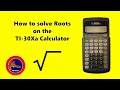
Finding Roots with TI 30x Calculator

Interactive Video
•
Mathematics, Science, Computers
•
6th - 7th Grade
•
Practice Problem
•
Hard

Patricia Brown
FREE Resource
Read more
7 questions
Show all answers
1.
MULTIPLE CHOICE QUESTION
30 sec • 1 pt
Which keys are essential for finding roots on the TI 30x a calculator?
Second function key, square root key, Y to the X key
Division key, percentage key, memory key
Addition key, subtraction key, multiplication key
Exponent key, factorial key, logarithm key
2.
MULTIPLE CHOICE QUESTION
30 sec • 1 pt
What is the square root of 100?
10
20
50
5
3.
MULTIPLE CHOICE QUESTION
30 sec • 1 pt
How do you find the square root of a number using the TI 30x a calculator?
Enter the number and press the multiplication key
Enter the number and press the square root key
Enter the number and press the addition key
Enter the number and press the division key
4.
MULTIPLE CHOICE QUESTION
30 sec • 1 pt
What is the cube root of 8?
1
2
4
3
5.
MULTIPLE CHOICE QUESTION
30 sec • 1 pt
Which function is used to find the cube root on the TI 30x a calculator?
Square root key
Second function of the Y to the X key
Subtraction key
Addition key
6.
MULTIPLE CHOICE QUESTION
30 sec • 1 pt
What is the fifth root of 32?
4
1
2
3
7.
MULTIPLE CHOICE QUESTION
30 sec • 1 pt
How do you find the fifth root of a number using the TI 30x a calculator?
Enter the number, press the second function of the Y to the X key, and then 5
Enter the number, press the addition key, and then 5
Enter the number, press the square root key, and then 5
Enter the number, press the multiplication key, and then 5
Access all questions and much more by creating a free account
Create resources
Host any resource
Get auto-graded reports

Continue with Google

Continue with Email

Continue with Classlink

Continue with Clever
or continue with

Microsoft
%20(1).png)
Apple

Others
Already have an account?

