
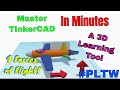
Forces of Flight in Tinkercad

Interactive Video
•
Physics, Science, Computers
•
4th - 5th Grade
•
Practice Problem
•
Hard

Patricia Brown
FREE Resource
Read more
10 questions
Show all answers
1.
MULTIPLE CHOICE QUESTION
30 sec • 1 pt
What is the primary focus of the lesson introduced in the video?
Learning about the history of aviation
Exploring different types of aircraft
Understanding the forces that act on an airplane during flight
Building a model airplane from scratch
2.
MULTIPLE CHOICE QUESTION
30 sec • 1 pt
What is the first step in creating an arrow in Tinkercad?
Bringing out a box and squishing it
Adjusting the work plane
Typing the word 'arrow'
Bringing out a roof shape
3.
MULTIPLE CHOICE QUESTION
30 sec • 1 pt
How can you ensure the roof shape aligns perfectly with the stick in Tinkercad?
By duplicating the stick
By rotating the work plane
By changing the color of the roof
By using the align button
4.
MULTIPLE CHOICE QUESTION
30 sec • 1 pt
What is a quick way to duplicate an arrow in Tinkercad?
Recreating the arrow from scratch
Using the duplicate button or Ctrl+D
Using the align tool
Using the copy and paste function
5.
MULTIPLE CHOICE QUESTION
30 sec • 1 pt
What is the purpose of rotating an arrow in Tinkercad?
To make it disappear
To change its color
To adjust its size
To show different orientations of forces
6.
MULTIPLE CHOICE QUESTION
30 sec • 1 pt
What should students do in the challenge part of the lesson?
Watch a video about airplane history
Write a report on Tinkercad features
Research the four forces of flight and label arrows
Create a new Tinkercad project
7.
MULTIPLE CHOICE QUESTION
30 sec • 1 pt
Which force is represented by an upward arrow in the project?
Thrust
Weight
Lift
Drag
Access all questions and much more by creating a free account
Create resources
Host any resource
Get auto-graded reports

Continue with Google

Continue with Email

Continue with Classlink

Continue with Clever
or continue with

Microsoft
%20(1).png)
Apple

Others
Already have an account?

