
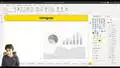
Business Intelligence with Microsoft Power BI - with Material - Creating a Histogram in Power BI

Interactive Video
•
Information Technology (IT), Architecture, Social Studies
•
University
•
Practice Problem
•
Hard

Wayground Content
FREE Resource
Read more
5 questions
Show all answers
1.
MULTIPLE CHOICE QUESTION
30 sec • 1 pt
What is the first step to use a histogram in Power BI?
Create a new visual from scratch
Import it from the app source
Use the default histogram visual
Download a third-party plugin
2.
MULTIPLE CHOICE QUESTION
30 sec • 1 pt
Which column is used to create a histogram in the tutorial?
Quantity
Date
Sales
Price
3.
MULTIPLE CHOICE QUESTION
30 sec • 1 pt
What is the maximum quantity ordered as mentioned in the tutorial?
40
14
10
20
4.
MULTIPLE CHOICE QUESTION
30 sec • 1 pt
What is a 'bin' in the context of histograms?
A group or collection of data
A Power BI feature
A type of chart
A data label
5.
MULTIPLE CHOICE QUESTION
30 sec • 1 pt
What limitation does Power BI have regarding bins?
Bins are limited to three
No default option for specific bin ranges
Bins can only be created manually
Cannot create bins at all
Access all questions and much more by creating a free account
Create resources
Host any resource
Get auto-graded reports

Continue with Google

Continue with Email

Continue with Classlink

Continue with Clever
or continue with

Microsoft
%20(1).png)
Apple

Others
Already have an account?

