
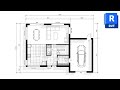
Revit Basics and Tools Overview

Interactive Video
•
Computers, Architecture, Design, Professional Development
•
9th - 12th Grade
•
Practice Problem
•
Hard

Olivia Brooks
FREE Resource
Read more
10 questions
Show all answers
1.
MULTIPLE CHOICE QUESTION
30 sec • 1 pt
What is the primary focus of the Revit Pure Basics course?
Rendering elevations
Designing furniture
Producing floor plans
Creating 3D models
2.
MULTIPLE CHOICE QUESTION
30 sec • 1 pt
What is the first step in setting up a Revit project?
Selecting a template
Adding doors
Rendering views
Creating walls
3.
MULTIPLE CHOICE QUESTION
30 sec • 1 pt
Which tool is used to create walls in Revit?
Offset tool
Trim tool
Wall tool
Align tool
4.
MULTIPLE CHOICE QUESTION
30 sec • 1 pt
How can you quickly create a layout before adding walls?
Using the Offset tool
Using the Trim tool
Using the Detail Lines tool
Using the Wall tool
5.
MULTIPLE CHOICE QUESTION
30 sec • 1 pt
What shortcut is used to add doors in Revit?
CS
WA
DL
DR
6.
MULTIPLE CHOICE QUESTION
30 sec • 1 pt
Which tool helps in adjusting the position of windows?
Move tool
Trim tool
Offset tool
Align tool
7.
MULTIPLE CHOICE QUESTION
30 sec • 1 pt
What is the purpose of the 'Create Similar' tool?
To trim elements
To align elements
To create a similar element
To duplicate a project
Access all questions and much more by creating a free account
Create resources
Host any resource
Get auto-graded reports

Continue with Google

Continue with Email

Continue with Classlink

Continue with Clever
or continue with

Microsoft
%20(1).png)
Apple

Others
Already have an account?


